
วิธีรับอีเมลล์ด้วย Microsoft Outlook
ให้คุณเข้าระบบก่อน โดยเข้าผ่าน http://yourname.com:2222/ (เปลี่ยน yourname.com เป็นชื่อเว็บไซต์คุณ)

เลือก E-mail Accounts
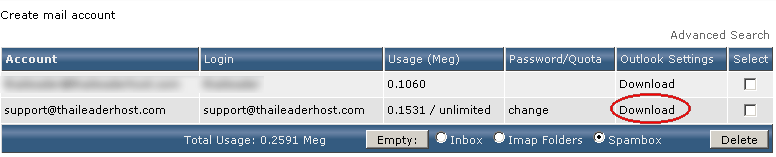
เลือก Download ใน ช่องของ Outlook Settings
หลังคลิก download เราจะได้ข้อมูลมา ตัวอย่างดังนี้
REGEDIT4
[HKEY_CURRENT_USER\Software\Microsoft\Internet Account Manager\Accounts\support@thaileaderhost.com]
"Account Name"="support@thaileaderhost.com"
"Connection Type"=dword:00000003
"POP3 Server"="mail.thaileaderhost.com"
"SMTP Server"="mail.thaileaderhost.com"
"POP3 User Name"="support@thaileaderhost.com"
"SMTP User Name"="?"
"POP3 Prompt for Password"=dword:00000000
"SMTP Prompt for Password"=dword:00000000
"SMTP Display Name"="support@thaileaderhost.com"
"SMTP Email Address"="support@thaileaderhost.com"
"POP3 Skip Account"=dword:00000000
"SMTP Use Sicily"=dword:00000002
"POP3 Timeout"=dword:0000003c
"SMTP Timeout"=dword:0000003c
"SMTP Secure Connection"=dword:00000000
"SMTP Split Messages"=dword:00000000
"POP3 Port"=dword:0000006e
"SMTP Port"=dword:00000019
จากนั้นให้เราเปิดโปรแกรม Microsoft Outlook (ภาพตัวอย่างจาก Microsoft Office Outlook 2003)
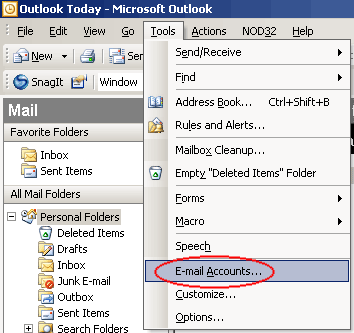
ให้เลือก Tools > Email Accounts
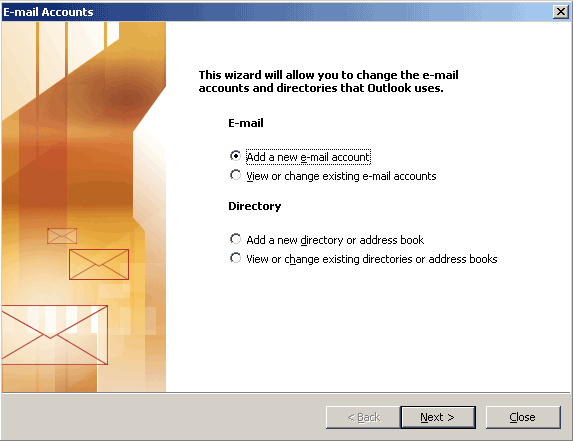
เลือก POP3 จากนั้นกดปุ่ม Next
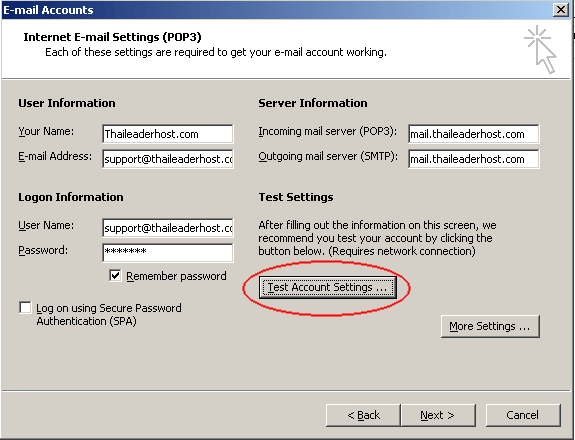
กรอกข้อมูลทุกช่องให้ครบ (ดูจากข้อมูลที่โหลดมาครับ) จากนั้นให้คลิก Test Account Setting...
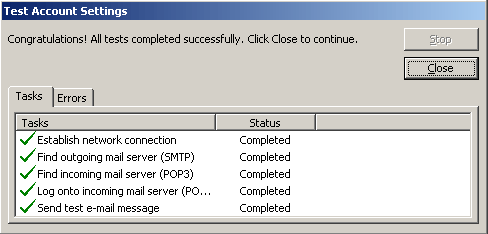
หากตั้งค่าถูกต้องจะเหมือนกับรูปด้านบนครับ
เมื่อ test สำเร็จ กดปุ่ม close ครับ
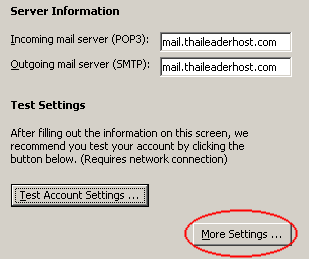
เลือก more setting ครับ
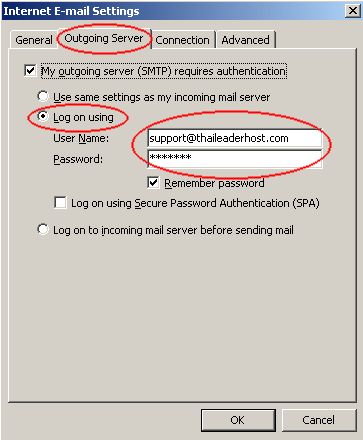
เลือก Outgoing Server
เลือก my Outgoing Server (SMTP)requires authentication
เลือก Log on using ใส่ username และ รหัสผ่าน
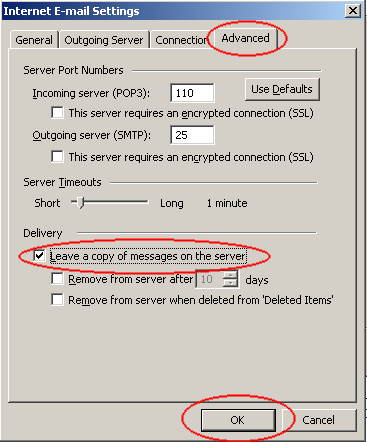
เลือก advance จากนั้น ทำเครื่องหมายถูกหน้าช่อง Leave a copy message on a server ในกรณีที่คุณไม่ต้องการลบเมลล์จาก Server (ปกติ outlook จะลบอีเมลล์ที่โหลดมาจาก server)
Remove from server after x day = ลบอีเมลล์จาก server หลังจาก x วัน (สามารถตั้งจำนวนวันได้ครับ)
Remove from server when deleted from 'Deleted Items' = ลบอีเมลล์จาก Server หลังลบจากเครื่อง
เลือกใช้ option ได้ตามความเหมาะสมของท่านครับ ตอบ ok แล้วกด next ครับ
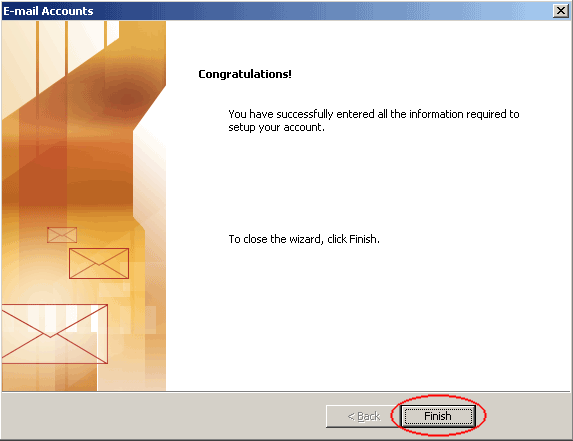
้คลิก Finish
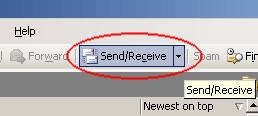
click Send/Recieve
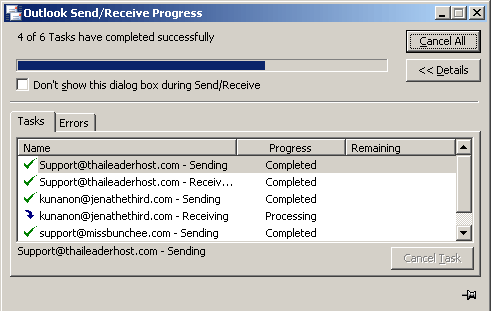
Outlook ทำการดาวน์โหลดอีเมลล์ของคุณมาเก็บไว้ที่เครื่อง
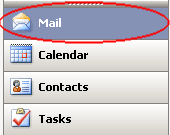
คลิกที่ Mail
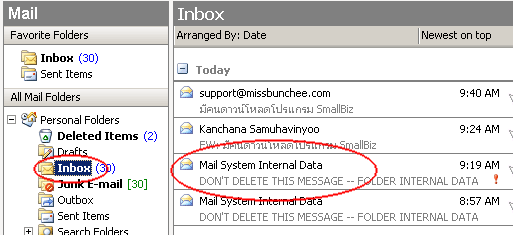
ดูอีเมลล์ได้จาก inbox ครับ ส่วนอีเมลล์ Mail System Internal Data ไม่ต้องลบครับ เป็นเมลล์ที่สร้างขึ้นจากระบบของ Outlook เอง